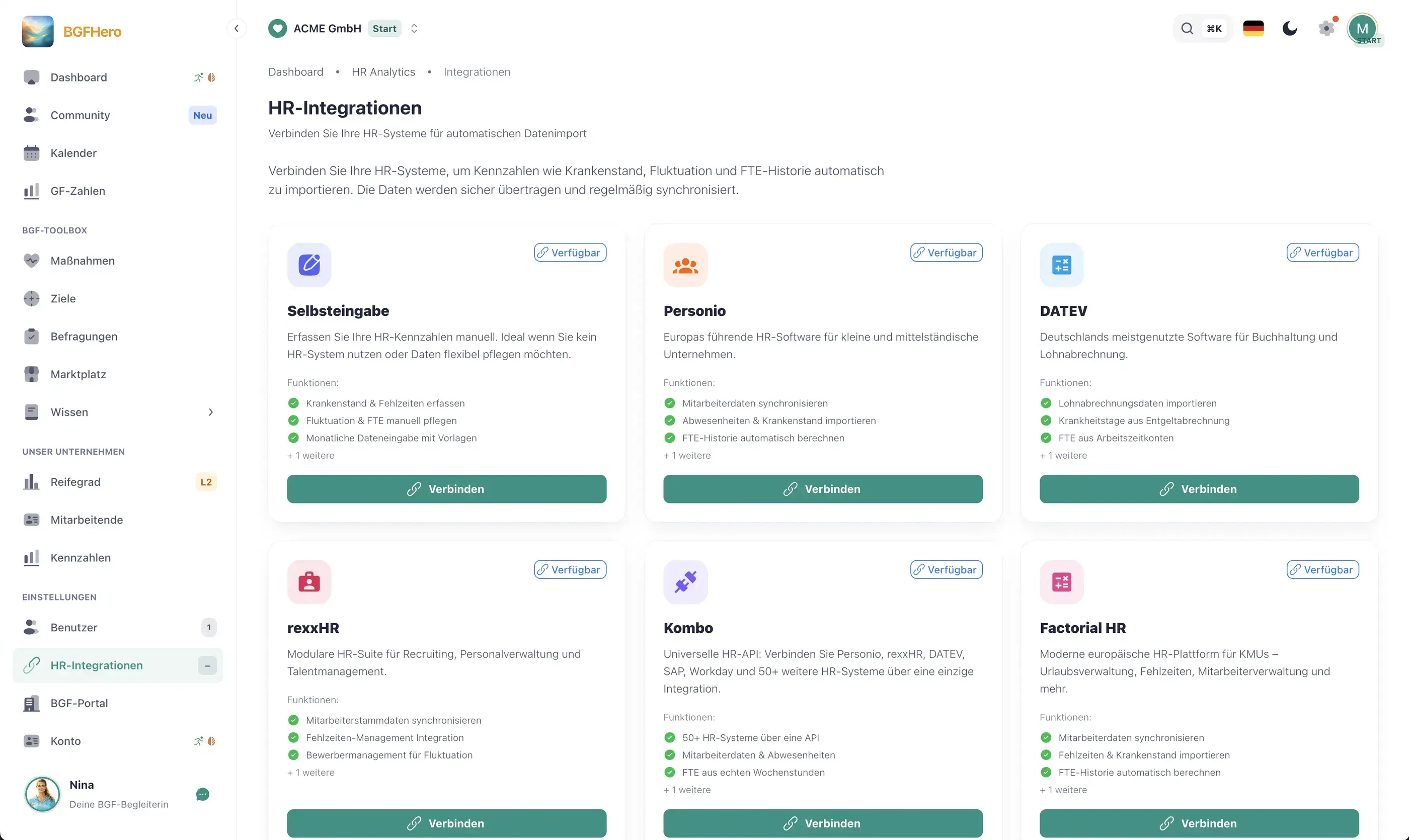
Connecting Personio & DATEV: Automated BGM Metrics Instead of Excel
Why Manual Data Entry Is Your Biggest Time Sink
The monthly BGM analysis follows the same pattern at most HR teams: export absence data from the HR system, paste it into a spreadsheet, manually calculate the sick-leave rate, look up the turnover rate in another file, merge everything into a third file — and the result is still never quite current. According to a survey of HR managers at mid-sized companies, this manual process costs an average of four hours per month, error correction included.
The problem isn't a lack of will to analyze the data, it's the system architecture: the BGM tool and the HR system don't talk to each other. Yet all the relevant raw data is already available digitally — in Personio, DATEV HR, rexxHR, or Kombo. Integrating these systems is technically a solved problem, and the effort is a one-time, manageable investment.
Which Metrics Flow in Automatically
Once your HR system is connected to EasyBGM via API, the following metrics are synchronized automatically and are available without any manual export:
**Sick leave:** Number of sick days per employee and period, broken down by department, location, and employment type. EasyBGM calculates the rate from this and shows trends over twelve months.
**Turnover:** Hires and departures within the synchronization period. This automatically produces the adjusted turnover rate — split by voluntary departures and employer-initiated terminations, provided your HR system tracks that distinction.
**Headcount and age structure:** Active headcount by department, age group, and tenure. Especially useful for demographic BGM planning: Which age groups are disproportionately affected by sick leave? Where is there a risk of knowledge loss through retirement in five years?
**Types of absence:** Distinguishing sickness, vacation, parental leave, and other absences — relevant for separating genuine BGM action areas from seasonal effects.
Synchronization runs at configurable intervals (daily, weekly, or monthly) and can be limited to specific fields to keep the data transfer lean.
GDPR-Compliant Data Synchronization
HR data deserves particular protection — and that applies to aggregated metrics too, as soon as conclusions about individuals become possible. Three points are decisive for the integration:
**No personal data at the metric level:** EasyBGM receives and stores only aggregated values (sick-leave rate as a percentage, headcount per department). Individual illness data or employee IDs are neither transmitted nor stored. This is technically enforced, not just documented.
**Record of processing activities and data processing agreement:** The connection between the HR system and the BGM tool falls under data processing pursuant to Art. 28 GDPR. EasyBGM provides a standardized data processing agreement (DPA). This must be signed before the first synchronization — not as a formality, but because it binds you to specific deletion periods and access restrictions.
**Access and logging:** Only people with the BGM admin role can see the synchronized metrics. Every data retrieval is logged. Employees must be informed about the processing — typically via an addition to the privacy policy or the employee handbook, not through individual consent, since these are workplace-level analyses.
How to put it in place
- 1Choose your HR system and integration path: Clarify which HR system you use (Personio, DATEV HR, rexxHR, Kombo, or another) and whether a direct API connection or a middleware connector (e.g. Kombo as a universal HR layer) is the right approach. Native connectors exist in EasyBGM for Personio and DATEV. For other systems, Kombo is recommended as an intermediary layer that connects to 50+ HR systems via a unified API.
- 2Set up the API connection in EasyBGM: In EasyBGM, open Settings → Integrations and select the desired HR connection. You'll need an API key or OAuth access from your HR system — this is typically issued by your HR system administrator. For Personio: create new API credentials under Settings → API → new key, enabling the 'read absences' and 'read employees' scopes. For DATEV: activation via a DATEV partner ID, which EasyBGM provides on request.
- 3Map data fields: Define which fields from your HR system map to which BGM metrics in EasyBGM. Typical mapping: absence type 'illness' → sick leave counter; start date/end date → turnover calculation; cost center or department field → segmentation in the BGM dashboard. Fields you don't need are explicitly disabled — this reduces data transfer and simplifies GDPR documentation.
- 4Check the first data sync: Run a manual test sync for a completed month and compare the synced values against your known reference figures (e.g. your last manual Excel report). Does the sick leave rate match to one decimal place? Do headcounts and turnover events match? Identify discrepancies here and correct them via the mapping field before automatic operation starts.
- 5Configure the sync schedule and sign the DPA: Set the desired sync frequency (weekly is sufficient for most BGM use cases; monthly is enough for pure KPI reporting). Enable email notifications for sync failures. In parallel, download the data processing agreement (DPA) from EasyBGM, have it countersigned by your data protection officer, and upload the signed version to the system — only then is the integration fully compliant from a data protection standpoint.
What you need
- Effort
- half a day
- Cost
- Free
- Duration
- einmalig
- Setup
- 180 min
- ✓ ~4 hours saved per month by eliminating manual data exports and Excel consolidation
- ✓ Up-to-date metrics available at all times — no more outdated monthly figures when executive leadership asks
- ✓ GDPR-compliant: only aggregated values are transferred, DPA standardized, logging included
- ✓ Twelve-month trends built automatically — the basis for data-driven BGM decisions and steering committee reports
Eligible for funding: up to €600 tax-free
As part of a structured workplace health process, this measure is tax-free under § 3 no. 34 of the German Income Tax Act (EStG) up to €600 per employee per year — BGF-Kompass supplies the process. Certified offers (e.g. from Upfit) are additionally subsidised by statutory health insurers under § 20b SGB V.
Health-insurer funding & tax: how to apply →Adopt it for your company
Register for free — and the measure is ready to go in your cockpit: invitation, feedback survey and appointment are already set up. First cycle, first numbers for the boss.
Start for free nowRather take a look first? To the live demo →
Contributes to
Action field
Modern Work & Digitalization →A fitting occasion
Related best practices
Not sure where to start? 5-minute self-check →